Machine Learning - K-nearest neighbors (KNN)
KNN
KNN is a simple, supervised machine learning (ML) algorithm that can be used for classification or regression tasks - and is also frequently used in missing value imputation. It is based on the idea that the observations closest to a given data point are the most "similar" observations in a data set, and we can therefore classify unforeseen points based on the values of the closest existing points. By choosing K, the user can select the number of nearby observations to use in the algorithm.
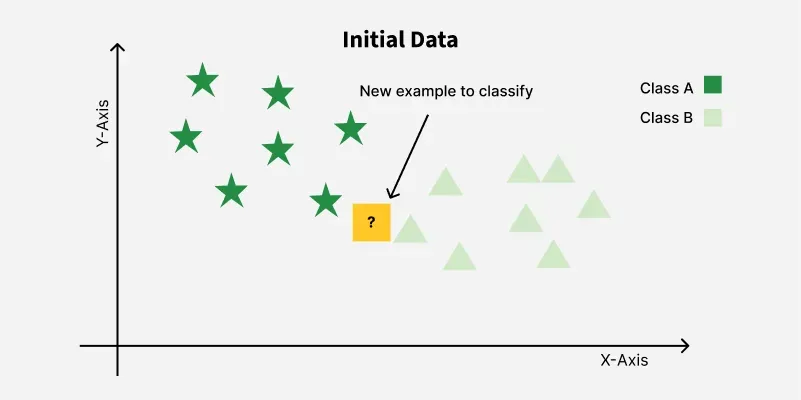
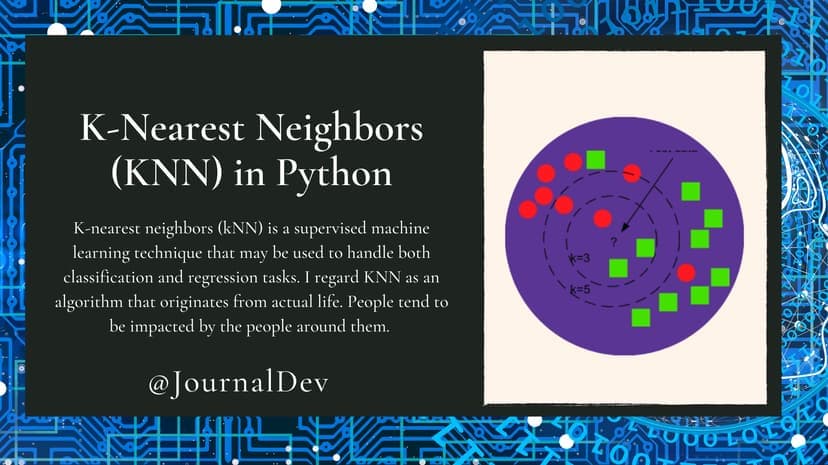
K-Nearest Neighbors (KNN) is a supervised machine learning algorithm generally used for classification but can also be used for regression tasks. It works by finding the "k" closest data points (neighbors) to a given input and makes a predictions based on the majority class (for classification) or the average value (for regression). Since KNN makes no assumptions about the underlying data distribution it makes it a non-parametric and instance-based learning method.
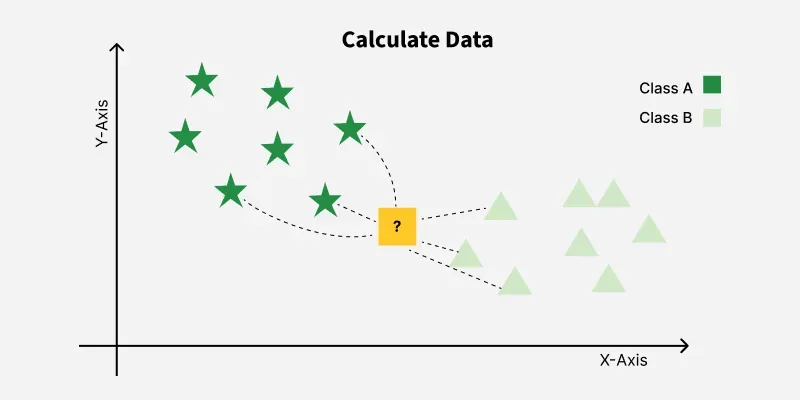
K-Nearest Neighbors is also called as a lazy learner algorithm because it does not learn from the training set immediately instead it stores the entire dataset and performs computations only at the time of classification. For example, consider two features i.e Category 1 and Category 2: KNN assigns the category based on the majority of nearby points. The image shows how KNN predicts the category of a new data point based on its closest neighbours. The green points represent Category 1 and the red points represent Category 2. The new data point checks its closest neighbors (circled points). Since the majority of its closest neighbors are red points (Category 2) KNN predicts the new data point belongs to Category 2.
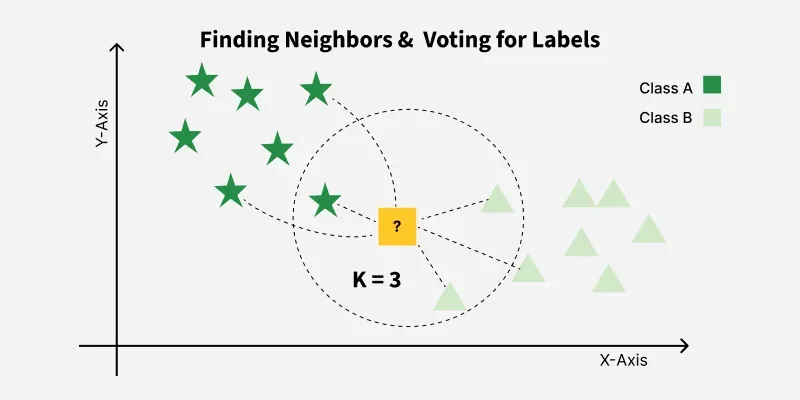
Here, we will show you how to implement the KNN algorithm for classification, and show how different values of K affect the results.
How does it work?
K is the number of nearest neighbors to use. For classification, a majority vote is used to determine which class a new observation should fall into. Larger values of K are often more robust to outliers and produce more stable decision boundaries than very small values (K=3 would be better than K=1, which might produce undesirable results).
Example
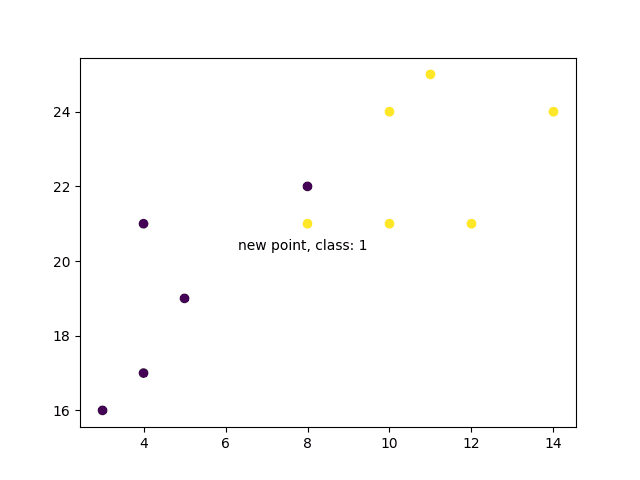
Start by visualizing some data points:
import matplotlib.pyplot as plt

x = [4, 5, 10, 4, 3, 11, 14, 8, 10, 12]
y = [21, 19, 24, 17, 16, 25, 24, 22, 21, 21]
classes = [0, 0, 1, 0, 0, 1, 1, 0, 1, 1]

plt.scatter(x, y, c=classes)
plt.show()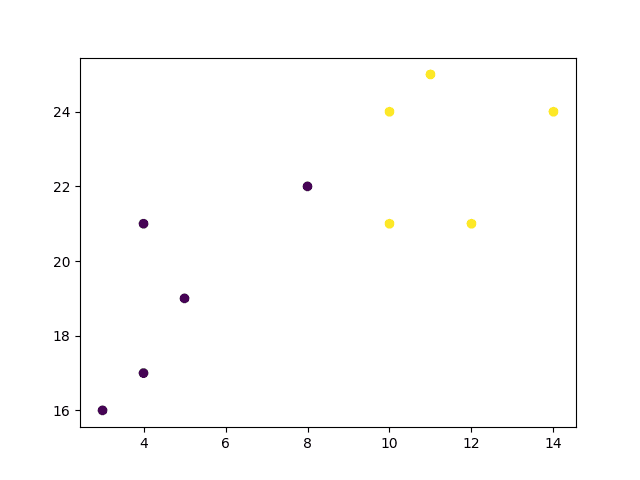
Now we fit the KNN algorithm with K=1:
from sklearn.neighbors import KNeighborsClassifier

data = list(zip(x, y))
knn = KNeighborsClassifier(n_neighbors=1)

knn.fit(data, classes)
And use it to classify a new data point:
Example
new_x = 8
new_y = 21
new_point = [(new_x, new_y)]

prediction = knn.predict(new_point)

plt.scatter(x + [new_x], y + [new_y], c=classes + [prediction[0]])
plt.text(x=new_x-1.7, y=new_y-0.7, s=f"new point, class: {prediction[0]}")
plt.show()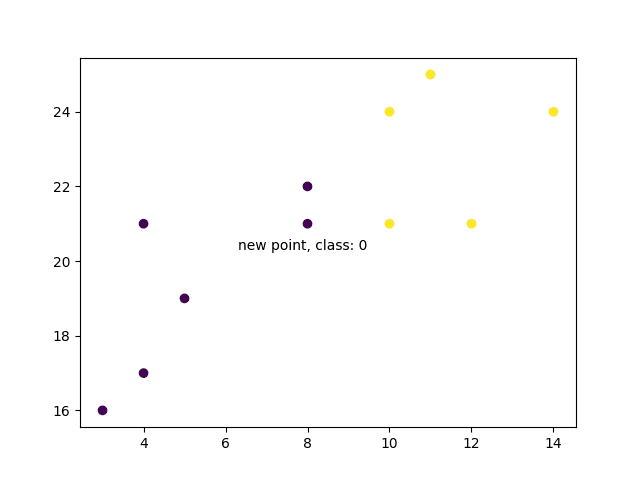
Example Explained
- Import the modules you need.
- scikit-learn is a popular library for machine learning in Python.
import matplotlib.pyplot as plt
from sklearn.neighbors import KNeighborsClassifier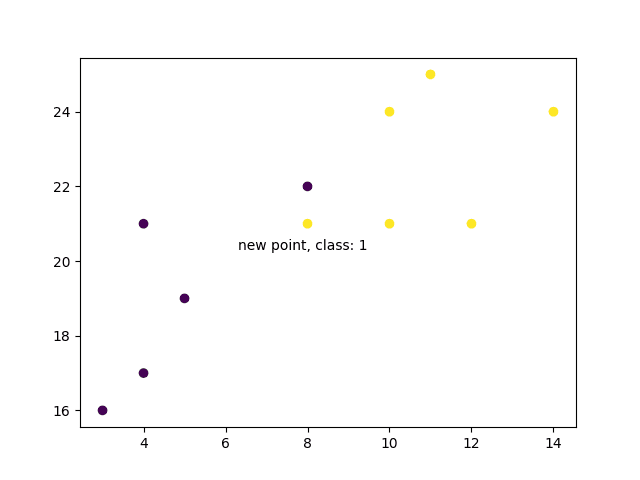
Create arrays that resemble variables in a dataset. We have two input features (x and y) and then a target class (class).
x = [4, 5, 10, 4, 3, 11, 14, 8, 10, 12]
y = [21, 19, 24, 17, 16, 25, 24, 22, 21, 21]
classes = [0, 0, 1, 0, 0, 1, 1, 0, 1, 1]
Turn the input features into a set of points:
data = list(zip(x, y))
print(data)Using the input features and target class, we fit a KNN model on the model using 1 nearest neighbor:
knn = KNeighborsClassifier(n_neighbors=1)
knn.fit(data, classes)
Then, we can use the same KNN object to predict the class of new, unforeseen data points:
new_x = 8
new_y = 21
new_point = [(new_x, new_y)]
prediction = knn.predict(new_point)
print(prediction)When we plot all the data along with the new point and class, we can see it's been labeled blue with the 1 class. The text annotation is just to highlight the location of the new point:
plt.scatter(x + [new_x], y + [new_y], c=classes + [prediction[0]])
plt.text(x=new_x-1.7, y=new_y-0.7, s=f"new point, class: {prediction[0]}")
plt.show()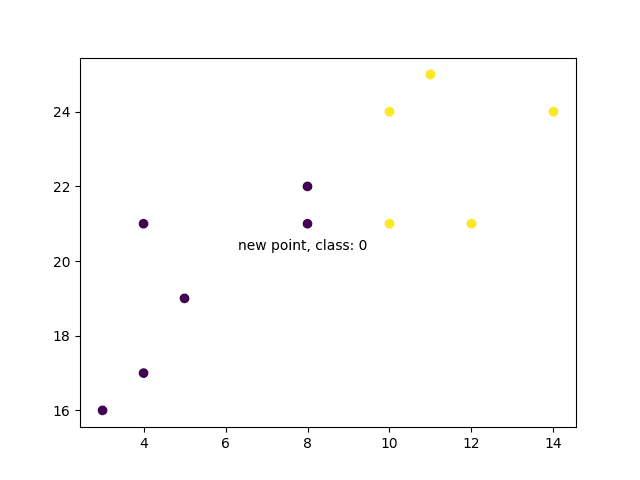
However, when we change the number of neighbors to 5, the number of points used to classify our new point changes. As a result, so does the classification of the new point:
knn = KNeighborsClassifier(n_neighbors=5)
knn.fit(data, classes)
prediction = knn.predict(new_point)
print(prediction)When we plot the class of the new point along with the older points, we note that the color has changed based on the associated class label:
plt.scatter(x + [new_x], y + [new_y], c=classes + [prediction[0]])
plt.text(x=new_x-1.7, y=new_y-0.7, s=f"new point, class: {prediction[0]}")
plt.show()