
Preprocessing - Categorical Data
Categorical Data
Categorical data classifies information into distinct groups or categories, lacking a specific numerical value. It refers to a form of information that can be stored and identified based on their names or labels. Categorical Data is a type of qualitative data that is easily measured numerically. In this article, we will learn about, what is categorial data, types of categorical data, and some real-life examples When your data has categories represented by strings, it will be difficult to use them to train machine learning models which often only accepts numeric data.
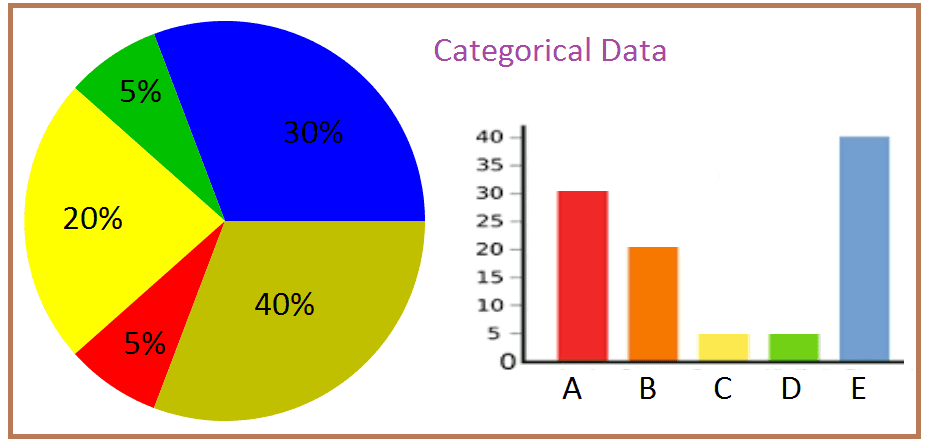
Instead of ignoring the categorical data and excluding the information from our model, you can transform the data so it can be used in your models.
Take a look at the table below, it is the same data set that we used in the multiple regression chapter.
import pandas as pd

cars = pd.read_csv('data.csv')
print(cars.to_string())
Result
     Car          Model  Volume  Weight  CO2
0  Toyoty          Aygo    1000     790   99
1  Mitsubishi  Space Star    1200    1160   95
2  Skoda          Citigo    1000     929   95
3  Fiat             500     900     865   90
4  Mini          Cooper    1500    1140  105
5  VW                Up!    1000     929  105
6  Skoda           Fabia    1400    1109   90
In the multiple regression chapter, we tried to predict the CO2 emitted based on the volume of the engine and the weight of the car but we excluded information about the car brand and model.
The information about the car brand or the car model might help us make a better prediction of the CO2 emitted.
One Hot Encoding
We cannot make use of the Car or Model column in our data since they are not numeric. A linear relationship between a categorical variable, Car or Model, and a numeric variable, CO2, cannot be determined.
To fix this issue, we must have a numeric representation of the categorical variable. One way to do this is to have a column representing each group in the category.
For each column, the values will be 1 or 0 where 1 represents the inclusion of the group and 0 represents the exclusion. This transformation is called one hot encoding.
You do not have to do this manually, the Python Pandas module has a function called get_dummies() which does one hot encoding.
One Hot Encode the Car column:
import pandas as pd

cars = pd.read_csv('data.csv')
ohe_cars = pd.get_dummies(cars[['Car']])

print(ohe_cars.to_string())
Result
   Car_Audi  Car_BMW  Car_Fiat  Car_Ford  Car_Honda  Car_Hundai  Car_Hyundai  Car_Mazda  Car_Mercedes  Car_Mini  Car_Mitsub...
0         0        0         0         0          0           0            0          0             0         0           0
1         0        0         0         0          0           0            0          0             0         0           0
2         0        0         0         0          0           0            0          0             0         0           0
3         0        0         1         0          0           0            0          0             0         0           0
4         0        0         0         0          0           0            0          0             0         1           0
Predict CO2
We can use this additional information alongside the volume and weight to predict CO2.
To combine the information, we can use the concat() function from pandas.
First we will need to import a couple modules.
We will start with importing the Pandas
import pandas The pandas module allows us to read csv files and manipulate DataFrame objects:
cars = pandas.read_csv("data.csv") It also allows us to create the dummy variables:
ohe_cars = pandas.get_dummies(cars[['Car']]) Then we must select the independent variables (X) and add the dummy variables columnwise.
Also store the dependent variable in y.
X = pandas.concat([cars[['Volume', 'Weight']], ohe_cars], axis=1)
y = cars['CO2']
We also need to import a method from sklearn to create a linear model
from sklearn import linear_model Now we can fit the data to a linear regression:
regr = linear_model.LinearRegression()
regr.fit(X,y)
Finally we can predict the CO2 emissions based on the car's weight, volume, and manufacturer.
##predict the CO2 emission of a VW where the weight is 2300kg, and the volume is 1300cm3:
predictedCO2 = regr.predict([[2300, 1300,0,0,0,0,0,0,0,0,0,0,0,0,0,0,0,1,0]])
Example
import pandas
from sklearn import linear_model

cars = pandas.read_csv("data.csv")
ohe_cars = pandas.get_dummies(cars[['Car']])

X = pandas.concat([cars[['Volume', 'Weight']], ohe_cars], axis=1)
y = cars['CO2']

regr = linear_model.LinearRegression()
regr.fit(X,y)

##predict the CO2 emission of a VW where the weight is 2300kg, and the volume is 1300cm3:
predictedCO2 = regr.predict([[2300, 1300,0,0,0,0,0,0,0,0,0,0,0,0,0,0,0,1,0]])

print(predictedCO2)
Result
[122.45153299]
Dummifying
It is not necessary to create one column for each group in your category. The information can be retained using 1 column less than the number of groups you have.
For example, you have a column representing colors and in that column, you have two colors, red and blue.
import pandas as pd

colors = pd.DataFrame({'color': ['blue', 'red']})

print(colors)
Result
   color
0   blue
1    red
You can create 1 column called red where 1 represents red and 0 represents not red, which means it is blue.
To do this, we can use the same function that we used for one hot encoding, get_dummies, and then drop one of the columns. There is an argument, drop_first, which allows us to exclude the first column from the resulting table.
import pandas as pd

colors = pd.DataFrame({'color': ['blue', 'red']})
dummies = pd.get_dummies(colors, drop_first=True)

print(dummies)
Result
   color_red
0          0
1          1
What if you have more than 2 groups? How can the multiple groups be represented by 1 less column?
Let's say we have three colors this time, red, blue and green. When we get dummies while dropping the first column, we get the following table.
import pandas as pd

colors = pd.DataFrame({'color': ['blue', 'red', 'green']})
dummies = pd.get_dummies(colors, drop_first=True)
dummies['color'] = colors['color']

print(dummies)
Result
   color_green  color_red  color
0            0          0   blue
1            0          1    red
2            1          0  green
What if you have more than 2 groups? How can the multiple groups be represented by 1 less column?
Let's say we have three colors this time, red, blue and green. When we get_dummies while dropping the first column, we get the following table.