Machine Learning - Hierarchical Clustering
Hierarchical Clustering
Hierarchical clustering is an unsupervised learning method for clustering data points. The algorithm builds clusters by measuring the dissimilarities between data. Unsupervised learning means that a model does not have to be trained, and we do not need a "target" variable. This method can be used on any data to visualize and interpret the relationship between individual data points.
- Does not require pre‑selecting the number of clusters.
- Uses agglomerative or divisive approaches
- Commonly applied in data exploration and pattern discovery.
- It is commonly used in pattern recognition, customer segmentation and image grouping.
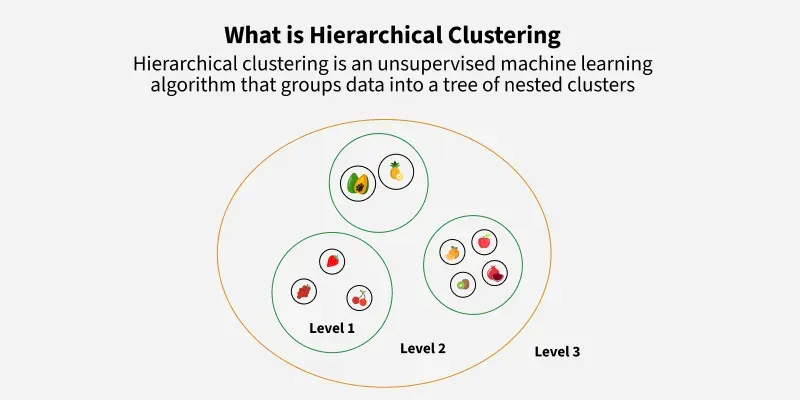
Here we will use hierarchical clustering to group data points and visualize the clusters using both a dendrogram and scatter plot.
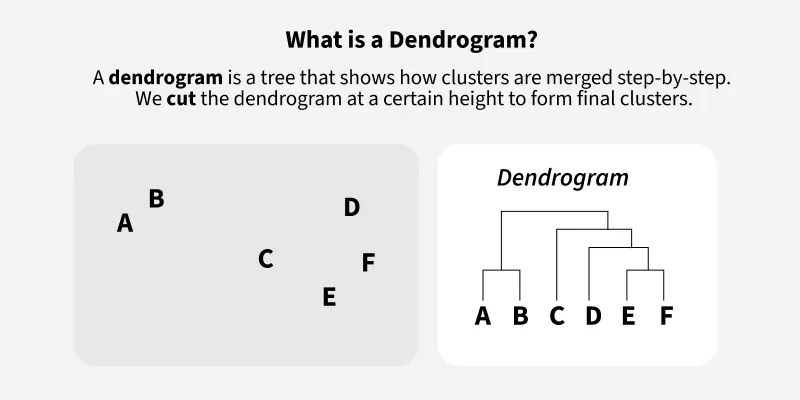
How does it work?
We will use Agglomerative Clustering, a type of hierarchical clustering that follows a bottom-up approach. We begin by treating each data point as its own cluster. Then, we join clusters together that have the shortest distance between them to create larger clusters. This step is repeated until one large cluster is formed containing all of the data points.
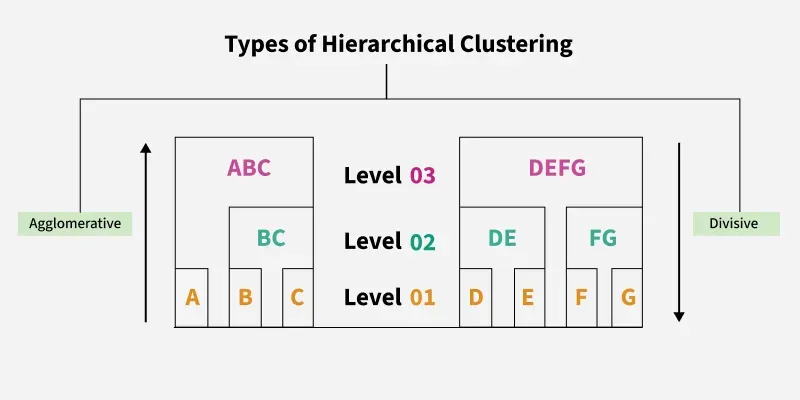
Imagine we have four fruits with different weights: an apple (100g), a banana (120g), a cherry (50g) and a grape (30g). Hierarchical clustering starts by treating each fruit as its own group.
- Start with each fruit as its own cluster.
- Merge the closest items: grape (30g) and cherry (50g) are grouped first.
- Next, apple (100g) and banana (120g) are grouped.
- Finally, these two clusters merge into one..
Finally all the fruits are merged into one large group, showing how hierarchical clustering progressively combines the most similar data points.
Hierarchical clustering requires us to decide on both a distance and linkage method. We will use euclidean distance and the Ward linkage method, which attempts to minimize the variance between clusters.
Example: Visualizing Data Points
import numpy as np
import matplotlib.pyplot as plt

x = [4, 5, 10, 4, 3, 11, 14 , 6, 10, 12]
y = [21, 19, 24, 17, 16, 25, 24, 22, 21, 21]

plt.scatter(x, y)
plt.show()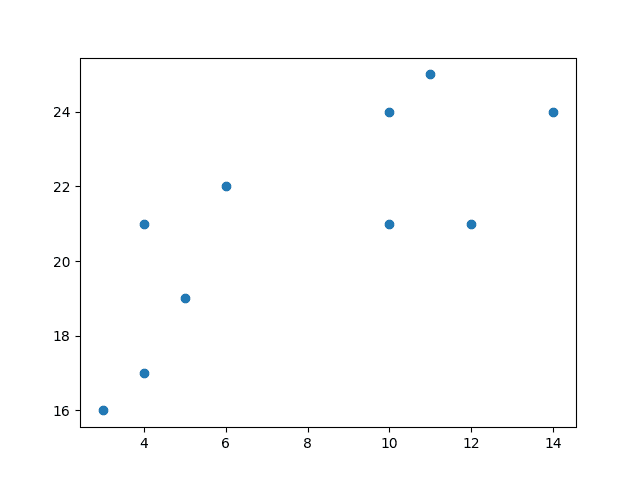
Now we compute the ward linkage using euclidean distance, and visualize it using a dendrogram:
Example: Dendrogram Implementation
import numpy as np
import matplotlib.pyplot as plt
from scipy.cluster.hierarchy import dendrogram, linkage

x = [4, 5, 10, 4, 3, 11, 14 , 6, 10, 12]
y = [21, 19, 24, 17, 16, 25, 24, 22, 21, 21]

data = list(zip(x, y))

linkage_data = linkage(data, method='ward', metric='euclidean')
dendrogram(linkage_data)

plt.show()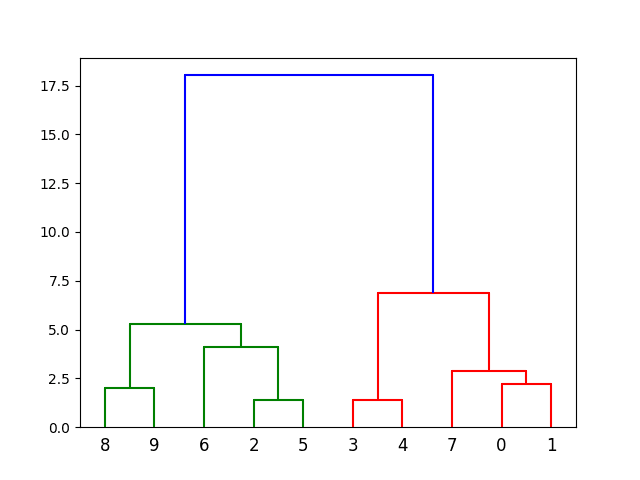
Here, we do the same thing with Python's scikit-learn library. Then, visualize on a 2-dimensional plot:
Example: Agglomerative Clustering
import numpy as np
import matplotlib.pyplot as plt
from sklearn.cluster import AgglomerativeClustering

x = [4, 5, 10, 4, 3, 11, 14 , 6, 10, 12]
y = [21, 19, 24, 17, 16, 25, 24, 22, 21, 21]

data = list(zip(x, y))

hierarchical_cluster = AgglomerativeClustering(n_clusters=2, linkage='ward')
labels = hierarchical_cluster.fit_predict(data)

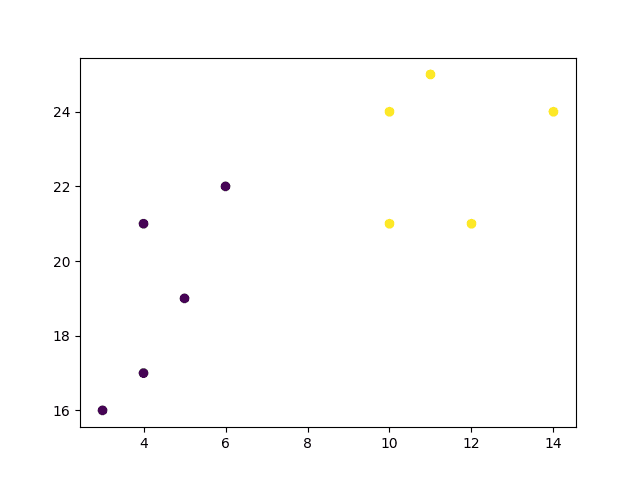
plt.scatter(x, y, c=labels)
plt.show()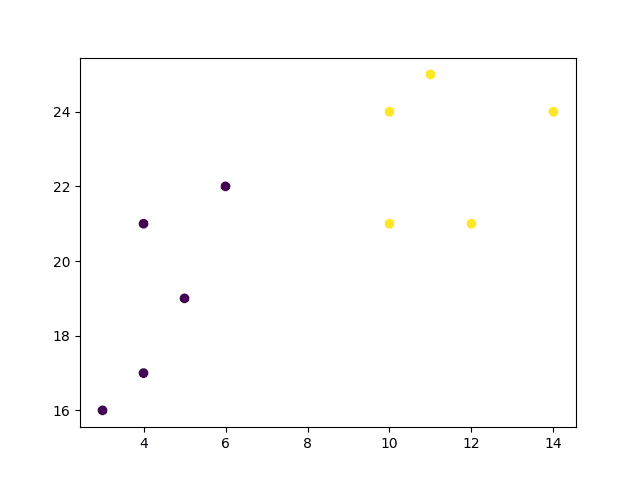
Example Explained
Import the modules you need:
import matplotlib.pyplot as plt
from scipy.cluster.hierarchy import dendrogram, linkage
from sklearn.cluster import AgglomerativeClustering
Create arrays that resemble two variables in a dataset. Note that while we only use two variables here, this method will work with any number of variables:
Turn the data into a set of points:
Compute the linkage between all points using Ward's method and euclidean distance:
Finally, plot the results in a dendrogram. This plot will show us the hierarchy of clusters from the bottom (individual points) to the top (a single cluster consisting of all data points).
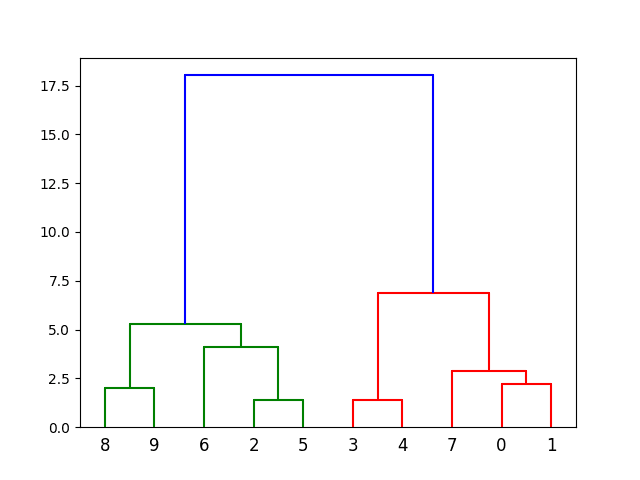
The scikit-learn library allows us to use hierarchichal clustering in a different manner. First, we initialize the AgglomerativeClustering class with 2 clusters and the Ward linkag
The .fit_predict method can be called on our data to compute the clusters using the defined parameters across our chosen number of clusters.
Result:
Finally, if we plot the same data and color the points using the labels assigned to each index by the hierarchical clustering method, we can see the cluster each point was assigned to:
Result: